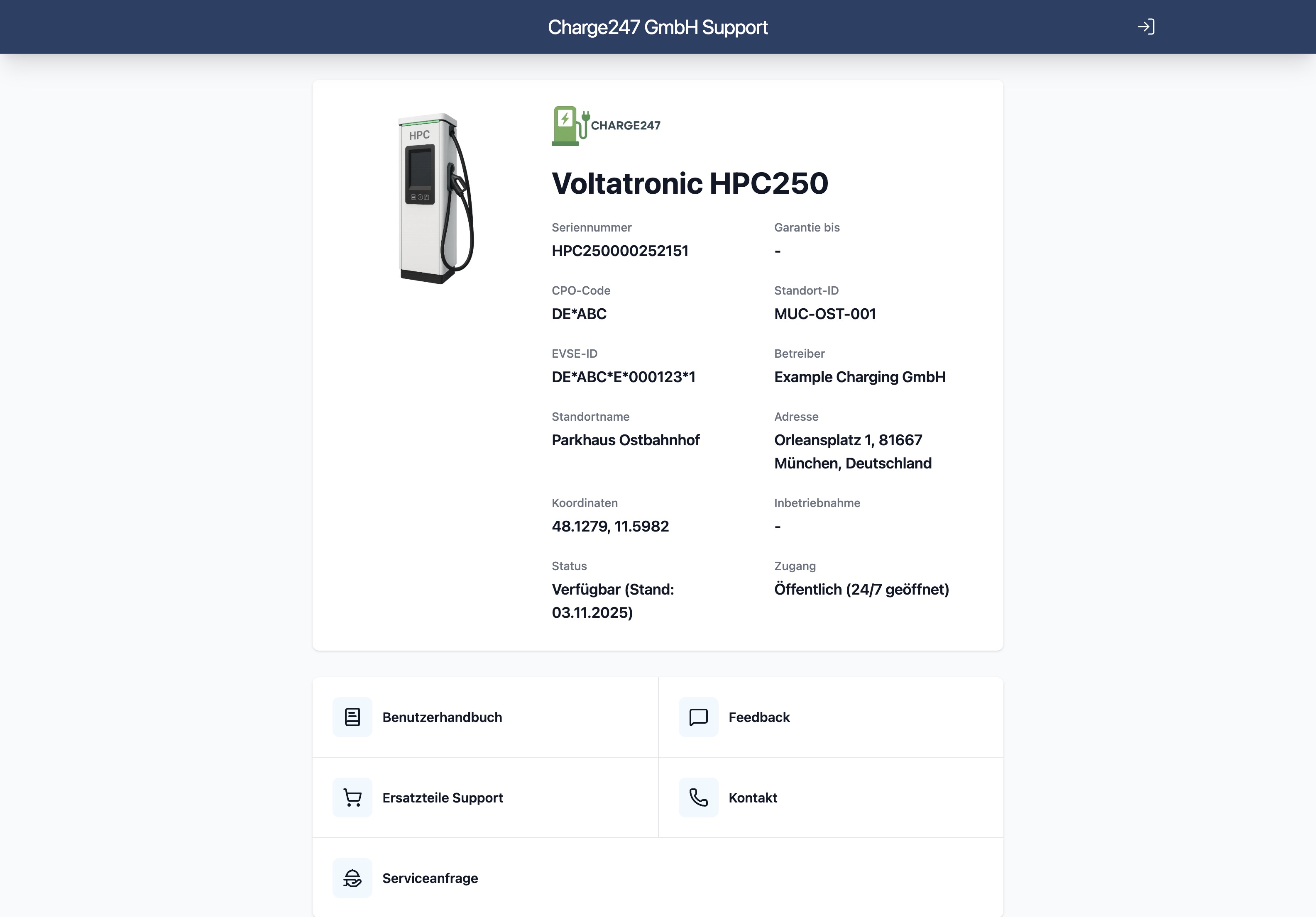
Document management

The right version. At the right device. At once.

You know the situation: the manual in some cloud storage, the wiring diagram on a drive, the service bulletin in Outlook, and an outdated copy at the customer. intuAid brings documents together at the device, versioned, multilingual, searchable.

From everyday work

How documentation loses its value.

  1. 01

    Many storage locations, no clarity.

    SharePoint, a drive, email, Dropbox, Google Drive. Which version is the right one? Nobody knows for sure.

  2. 02

    Outdated versions at the device.

    The customer still has the 2019 guide. Nobody on site knows the service bulletins.

  3. 03

    In the audit the proof is missing.

    A PDF turns up with no revision state and no author. Trust in your own documentation is gone.

intuAid document management is a device-bound document management that provides manuals, wiring diagrams and bulletins versioned, multilingual and role-based right at each asset and makes them searchable by full text and AI.

What does document management give you?

Document management makes sure the right, current version is always available at the device, instead of scattered copies across cloud storage, drive and email. Versioning with an audit trail builds trust, role-based permissions control visibility, and the AI search finds the right spot in seconds.

How it all fits together.

Documents at the device, not in a folder.

Every document is assigned to one or more assets. A QR scan at the device shows only the documents that truly belong to it.

  • Asset assignment per document
  • Inheritance across hierarchy levels
  • Automatic filtering on the scan
  • Searchable even without an asset

Versioning with an audit trail.

Upload a new version, the old one stays. Who changed what and when is traceable. By default the customer sees the current version.

  • Version history per document
  • Mandatory comment on a change
  • Compare two versions
  • Rollback in one click

Languages the customer understands.

One guide per language, or automatic translation with an approval workflow. The customer gets the language of their browser, without searching.

  • Translations per document
  • AI translation as a suggestion
  • Manual approval workflow
  • Automatic language detection on access

Permissions per role.

The end customer sees the guide, the technician sees the wiring diagram, the partner sees only what is released. You define the rules once, intuAid enforces them everywhere.

  • Role-based visibility
  • Per asset or per document
  • Confidential documentation can be excluded
  • Audit log of access

A search that also searches inside PDFs.

Full text, semantic search, AI chat across all documents. Anyone who knows an error code finds the section in the manual at once.

  • Full-text indexing of PDFs
  • Semantic search by AI
  • Direct jump targets in the source
  • Search history for finding things again

Who benefits

Three roles, one benefit.

Quality and documentation team

Maintains centrally, sees who updated what, keeps control over versions.

Technician

Sees the right guide at once on the scan, in the right version.

End customer

Gets the current manual in their language, without searching a drive.

Frequently asked questions

Try intuAid on your own machines.

Create an account and bring your first machine online today. If you would rather see intuAid in action first: in the demo we scan the QR code on one of your machines live, with no pitch and no slide deck.

Free forever for up to 3 machines. No credit card required.

Screenshot of the intuAid app showing the device landing page after scanning the QR code